

Shopify & Ecommerce
Your Digital Foundation: Choosing the Right Platform with a Web Design Company in Amman Jordan
Shopify or WordPress: what each platform does best, and how to choose the right foundation for your website in Jordan.
7 min read
Who we help
Your industry, your market
By industry13 industries
Luxury & retail5
Ecommerce & tech3
Food & hospitality1
Services & lead generation4
Not listed? Most of what we run carries across. Ask on WhatsApp (opens in a new tab)
All industriesAll marketsProof
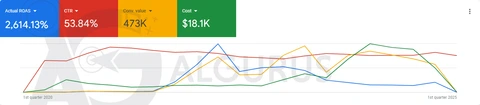
Real numbers, real screenshots
Every number comes from a published AlGurus case, with a platform screenshot.
All 29 case studiesCompany
The team behind the results
Since 2018 · Um Uthaina, Amman
About AlGurus
A results-driven digital marketing agency in Amman, helping businesses in Jordan, the Gulf and beyond grow online since 2018. One certified team for ads, websites, SEO and GEO.
Google Premier, Meta, Shopify, Salla
Certified partners
 Google Premier Partner2026 · top 3% worldwide
 MetaBusiness Partner
 Shopify Partnersince March 2020
 SallaPartner
SEO & GEO checkup, ad analyzer
Audits reviewed by our team
Send your website or your ads dashboard. Our team reviews each request and emails you a branded PDF audit.
Since 2018 · Um Uthaina, Amman
Talk to us
MenuBy industry
By market





 Google Premier Partner2026 · top 3% worldwideMetaBusiness PartnerShopify Partnersince March 2020SallaPartner
 AlGurus Academy (opens in a new tab)ToolsSEO & GEO checkup, ad analyzer
Contact
Services open from the bottom bar
Services · Goal finder
What do you want to grow?
Your growth path4 services, in the order we’d start
Your growth path4 services, in the order we’d start
Your growth path4 services, in the order we’d start
Your growth path4 services, in the order we’d start
Your growth path4 services, in the order we’d start
Your growth path4 services, in the order we’d start
Your growth path4 services, in the order we’d start
Real result
Top 3%
of Google Partners worldwide — we’re a Google Premier Partner
See the case studiesBook a strategy callYour growth pathTwo ways to learn
Real result
13+
years running real campaigns — now taught at Algurus Academy
Visit Algurus AcademyBook a strategy callPaid AdsTurn ad spend into measurable revenue.10 services
Most requested
Open Paid AdsOrganic TrafficRank on Google, Maps, app stores and AI answers.4 services
Most requested
Open Organic TrafficWeb DevelopmentFast stores and sites built to convert.6 services
Most requested
Real result
326K JOD
in Shopify sales for a hardware store
75+ Shopify stores built
See the case studiesSocial Media ManagementContent and community that keep you top of feed.3 services
Most requested
Open Social Media ManagementGraphic DesignA brand people recognise in one scroll.4 services
Most requested
Open Graphic DesignConsultationSenior eyes on your ads, store and growth plan.5 services
Most requested
Open ConsultationTrainingLearn it from the team that runs it — via Algurus Academy.Algurus Academy
Courses at Algurus Academy



 Google PartnerPremier 2026MetaBusiness PartnerShopifyPartnerSallaPartnerOur partnerships
Markets:KSAUAEIraqQatarKuwaitUSACanadamore soon
WhatsAppYour process works. Now make it impossible to lose.
Custom business systems for orders, approvals, inventory, quotations, invoicing and service requests. We map how your team really works, then build software that follows it step by step, with every handoff tracked and every change on record.
AlGurus develops custom business systems in Amman, Jordan: web-based software for orders, approvals, inventory, quotations, invoicing, purchasing, HR requests and service tickets. We map your process step by step, build a system that enforces it with roles, rules and automatic notifications, connect it to your accounting software and online store, and keep a full audit trail of every change. You own the code and the data.
Every company runs on a handful of internal processes: a quote turns into an order, an order needs approval, stock is reserved and picked, an invoice is issued, a delivery is made, a payment is collected. In many businesses in Jordan and the Gulf these steps live in spreadsheets, paper forms and WhatsApp groups. That works well with five people. With fifty, information gets re-typed, approvals wait in someone's chat, stock numbers drift and nobody can say where a particular order is right now.
A custom business system puts the whole process into one web application. Each step is owned by a role, each record has one source of truth, the rules you already follow are enforced automatically, and every change is logged with who made it and when. It is not a new way of working imposed by a software vendor. It is your way of working, made reliable.
Most systems start with the one or two modules that cause the most pain and grow from there. Pick a module to see the records it manages, the screens your team uses and the automations that run in the background.
The order module is the spine of most systems. Orders arrive from sales staff, the online store, branches or B2B customers and follow the same path, so nothing is handled differently because it came in through a different door.
Quotes built from your real price lists and discount rules, sent as branded PDFs in Arabic or English, and converted to orders with one click when the customer accepts, so the details are never typed twice.
Stock per warehouse and branch, updated by every sale, return, transfer and receipt. Everyone sees the same number, and low stock raises an alert before it becomes a lost sale.
Purchase requests, supplier quotes, purchase orders and goods received, with approval limits by amount and department, and a clear view of what has been ordered but not yet delivered.
Invoices generated from confirmed orders, payments recorded against them, and balances visible per customer. Data flows to your accounting software instead of being typed into it, and e-invoicing requirements are handled where they apply.
A shared approval engine any module can use: discounts, refunds, purchases, leave, price changes. Requests reach the right person automatically, can be approved from a phone, and escalate if nobody acts in time.
Leave, permissions, expense claims, salary certificates and asset requests submitted by staff from their phone, approved by managers and recorded for HR, without paper forms or lost messages.
Customer requests, complaints, maintenance visits and warranty claims logged in one place, assigned to the right team, tracked against response times and closed with a record of what was done.
Every business has rules that experienced staff simply know: discounts above a certain level need the manager, credit customers cannot exceed their limit, orders for a particular region go to a particular branch. When those rules live only in people's heads, new staff break them and busy staff forget them. In a custom system they are written down once and applied every time, and changing a limit is a setting, not a retraining exercise.
Rules are documented in plain language alongside the code, so your managers can review exactly what the system does and ask for changes as the business evolves.
Permissions in a custom system follow your organisation chart, not a vendor's pricing tiers. Each role sees the screens and records relevant to its job, sensitive fields such as cost prices or salaries are hidden from roles that do not need them, and every permission is enforced on the server, not just hidden in the interface. This is an example matrix for a trading company with branches.
| Action | Sales | Branch manager | Warehouse | Accounts | Owner |
|---|---|---|---|---|---|
| Create quotes and orders | Yes | Yes | No | No | Yes |
| Approve discounts above limit | No | Own branch | No | No | Yes |
| See cost price and margin | No | Own branch | No | Yes | Yes |
| Adjust stock | No | No | With reason | No | Yes |
| Issue invoices and credit notes | No | No | No | Yes | Yes |
| Export customer data | No | No | No | Logged | Logged |
Spreadsheets forget. When a price is changed, a row is deleted or a quantity is overwritten, the old value is gone and nobody knows who changed it. A business system keeps the history of every record: each field change, each approval, each status move and each export, with the user, the time and the previous value.
That history settles disputes in seconds, makes audits and stock counts much easier, and quietly discourages mistakes and misuse, because everyone knows the system remembers. Combined with automatic daily backups, it also means a bad edit can always be traced and reversed.
QT-1180Sun 09:125% → 12%Sun 09:20 · triggered approval ruleINV-5531 and synced to accountingSun 11:06 · automaticA business system is most valuable when it talks to the software you already rely on. We connect it to your accounting package so invoices are never typed twice, to your Shopify or Salla store so online orders and stock stay in step, to WhatsApp and email for notifications, to payment gateways, and to the national e-invoicing platforms where they apply, such as JoFotara in Jordan and ZATCA's FATOORA in Saudi Arabia.
Stock and order status move in both directions between the system and your online store, so a sale in a branch updates the website and an online order reserves branch stock.
Invoices and payments flow into accounting, where your accountant stays in control of the books rather than two systems editing the same entries.
Older tools, supplier price files and bank statements can be imported on a schedule with validation, so bad data is rejected with a clear error instead of loaded silently.
Most of our business system projects start with years of data in spreadsheets: customers, products, price lists, open orders and balances. We treat that data as an asset. Before launch we clean it, remove duplicates, fix formats such as phone numbers and Arabic names, and import it so the system starts with history rather than an empty screen.
Go-live is planned so the business never stops. Typically one branch, team or module goes first while the old way continues in parallel for a short period. Once the numbers match and the team is comfortable, the spreadsheets are archived. Each role gets short training focused on the screens they use, in Arabic or English, with recorded guides for new joiners.
Packaged ERP systems such as Odoo or similar products are a good answer for many companies, and we will recommend one when it fits. Custom makes sense when your process is distinctive, when an ERP would need so much customisation that it becomes custom anyway, or when you only need a few modules done very well.
| Question | Excel and WhatsApp | Off-the-shelf ERP | Custom business system |
|---|---|---|---|
| Fit to your process | Flexible but unenforced | You adapt to the ERP's process | Built around your process |
| One source of truth | Many copies of each file | Yes | Yes |
| Audit trail | None | Usually built in | Every field, every change |
| Arabic and RTL | Fine | Varies by product | Designed in |
| Cost model | Staff time and errors | Licences per user plus implementation | Build per release plus hosting and care |
| Time to start | Today | Weeks to months of setup | First module in weeks, then grows |
A business system succeeds when the process runs faster, with fewer mistakes, and people stop working around it. Before we build, we agree with you how to measure that, and we track it after launch.
Time from quote to order, order to invoice, or request to approval, measured from the audit trail.
Edited invoices, stock adjustments and returned orders caused by data errors.
How many requests are waiting, for how long, and where they get stuck.
Share of orders, requests and updates handled in the system rather than outside it.
Since 2018 AlGurus has worked with more than 120 brands in more than 20 industries across Jordan, the Gulf and North America, and built more than 75 Shopify stores. Much of that work sits where sales, stock and operations meet, which is exactly where business systems live.
Shopify Partner and Salla Partner status covers the ecommerce platforms our business systems most often sync orders and stock with.
ShopifyPartnerSallaPartnerBusiness system projects are often confidential. Examples and references are shared on your strategy call, under NDA where needed.
Big-bang system launches are where most internal software projects fail. We map the whole process, but build and launch in modules, so your team is using real software early and every release is shaped by how they actually work.
We follow real orders and requests through the business with the people who handle them, and draw the process as it is.
Process mapBuild, buy an ERP or extend what you have. A written recommendation and a module plan.
Build-or-buy reportRecords, rules, roles and screens for the first module, as a clickable prototype in Arabic and English.
Prototype · rule bookTwo-week sprints with demos on a staging system loaded with your real data.
Sprint demosData cleaned and imported, one team goes live first, the rest follow when it is proven.
Pilot · rolloutSupport, backups and security updates, plus the next module on the roadmap.
Care plan · roadmapYour business system belongs to you: the source code in your repository, the database in your cloud account and the documentation that explains how it works. If you later hire an in-house developer or change partners, nothing is locked away.
Because a system becomes part of daily operations, we stay with it after launch. A care plan covers monitoring, backups, security updates and a monthly block of hours for improvements and new modules.
Your process and business rules documented in plain language.
Every module, every role, in Arabic and English.
Accounting, store, WhatsApp, email, payments and e-invoicing where needed.
Customers, products, balances and open orders cleaned and imported.
Server-side permissions, full history and daily backups.
Role-based training and technical documentation.
Custom software is a serious commitment. These are the situations where it clearly pays back, and the ones where we would steer you elsewhere.
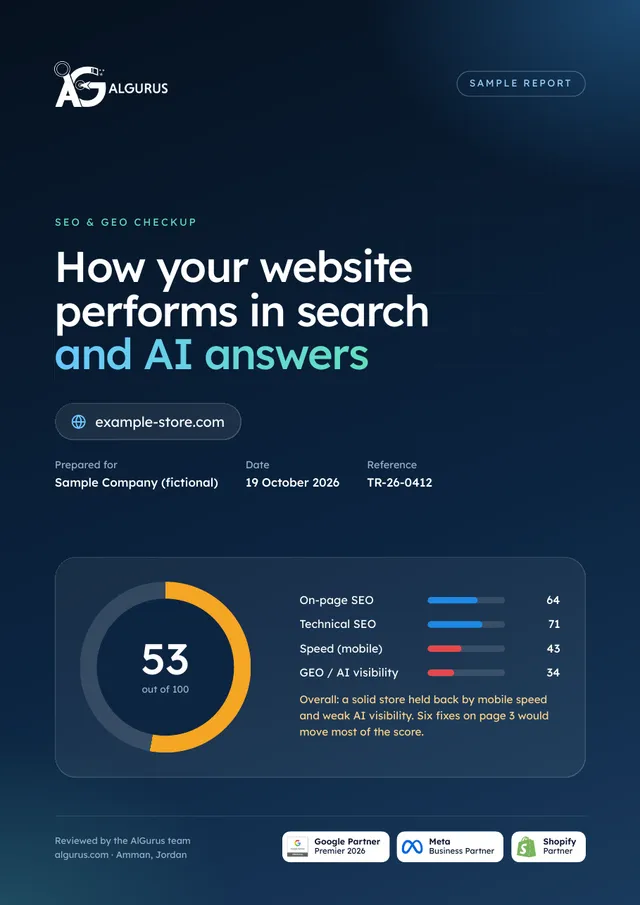
Send us your website. Our team reviews its speed, technical health and how it shows in Google and AI answers, and the audit arrives in your inbox with a plain-language fix for each issue.
Shopify or WordPress: what each platform does best, and how to choose the right foundation for your website in Jordan.
7 min read
Ten common digital marketing mistakes, from no strategy to no tracking, and the best practice that fixes each one.
7 min read
The four paid-media shifts shaping Jordan in 2026: AI-run Meta campaigns, TikTok as search and shop, automated Google bidding, and Snapchat AR.
9 min readLeave your details. We reply on WhatsApp or by phone between 7 AM and 10 PM Amman time, with a first plan within one working day.
The team will contact you between 7 AM and 10 PM Amman time. Want to talk now? Send it on WhatsApp in one tap.
Reference:
A custom business system is web-based software built around your internal processes, such as orders, approvals, inventory, purchasing, invoicing, HR requests or service tickets. It replaces spreadsheets, paper and chat threads with one system where each step has an owner, rules are enforced automatically and every change is recorded.
An ERP is a packaged product with its own built-in process that you configure and adapt to. A custom system is designed around your process from the start. ERPs suit companies with standard processes that want a broad suite; custom suits companies with distinctive processes or that need a few modules done very well. We assess both before recommending either.
Yes. We connect to accounting and ERP software through their APIs where available, or through scheduled imports and exports where not. Invoices, payments and customers flow from the business system into accounting so nothing is typed twice and your accountant stays in control of the books.
Where your invoices are issued from the business system, we integrate with the applicable national platform, such as JoFotara in Jordan or ZATCA's FATOORA in Saudi Arabia, or pass invoices to accounting software that already handles it. We confirm the exact requirements for your company during discovery.
Cost depends on the number of modules, roles, rules and integrations. A single module such as approvals or quotations is a much smaller project than a full order-to-invoice system across branches. We price each release after mapping the process, so you can start with the module that removes the most pain.
Mapping and a prototype of the first module usually come first, followed by development in two-week sprints. We aim to get the first module into daily use as early as possible and add the rest in planned releases rather than launching everything at once.
Yes. Systems are built as responsive web applications, so managers can approve requests, warehouse staff can scan and count stock and technicians can update tickets from a phone browser. Where offline use or device features are essential, we can discuss an installable app.
We audit your existing files, clean duplicates and formats, and import customers, products, price lists, balances and open orders before go-live. Old files are archived read-only so you keep the history.
The database and hosting run in your own cloud account, with server-side permissions, encrypted connections, two-factor sign-in for sensitive roles, full audit logs and daily backups. You own the code and the data, and can move them to another team at any time.















Book a strategy call. Take us through how one order, request or job moves through your business today, including the spreadsheets and the WhatsApp groups. We will tell you honestly whether to buy an ERP, extend what you have or build, and which module to start with.