

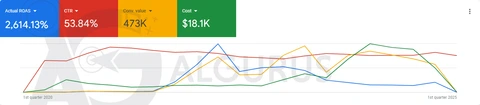




















Ad screenshot analyzer: what your numbers are telling you
Upload screenshots of your ads dashboard. We read each metric, compare it with benchmarks from our published cases, and send you a PDF with what to fix first.
Request received
Thank you. Our team will review your request and send the audit to your inbox within one working day.
Reference
Questions about the analyzer
Which screenshots work best?
The campaigns or ad sets table with the metric columns visible: spend, results, cost per result, CTR, CPC, CPM, frequency and ROAS where you have it. Crop out anything private you do not want to share.
What do you compare my numbers with?
With benchmarks from the published AlGurus case studies on the same platform, judged against your goal: sales, leads or messages.
How long does it take?
Sending takes about two minutes. Our team reviews each request, and the analysis arrives in your inbox within one working day.
What happens after I send the form?
You see a thank-you message with a reference number. A specialist checks the request, the analysis runs, and the PDF arrives by email in your language. Your screenshots are stored privately and used only for this analysis.